
How to Download and Log In to MSport App in Nigeria
Edited By
Ifeoma Nwachukwu
Getting Started
MSport app is fast becoming the go-to solution for many Nigerians craving live sports streaming and real-time updates right on their mobile devices. Whether you are a student following your favourite football league, a bettor tracking live odds, or a journalist needing instant access to match data, MSport offers an accessible platform packed with useful features.
Downloading and logging into the MSport app might seem straightforward, but a few steps deserve attention to avoid common pitfalls like compatibility issues or login errors. This section lays down clear directions on how to get the app on your smartphone and sign in smoothly.
Device Compatibility and System Requirements
Before you start, it’s important to ensure your device supports the MSport app. It works on most Android smartphones running version 5.0 and above, which covers popular brands like Tecno, Infinix, Samsung, and Huawei common across Nigeria. iOS users might face some restrictions since MSport primarily targets Android, so checking the official platform announcements will save you potential trouble.
Additionally, you need at least 100 MB of free storage space to accommodate the app and its updates. A stable internet connection—preferably 4G or Wi-Fi—is equally important for a glitch-free streaming experience.
Step-by-Step Process to Download MSport App
Enable App Installation from Unknown Sources:
Since MSport isn't always on the Google Play Store due to licensing regulations, you may have to download the APK file directly from reliable sources.
Head to your phone settings, navigate to security, then toggle on "Install from Unknown Sources".
Download the APK File:
Visit trusted tech platforms that verify app files for safety.
Download the latest version APK and wait for it to finish.
Install the App:
Open the downloaded APK file.
Follow the prompts to complete installation.
Open and Update if Necessary:
Launch the app and allow any updates to download for the best user experience.
Logging Into MSport App
Once installed, logging in is straightforward:
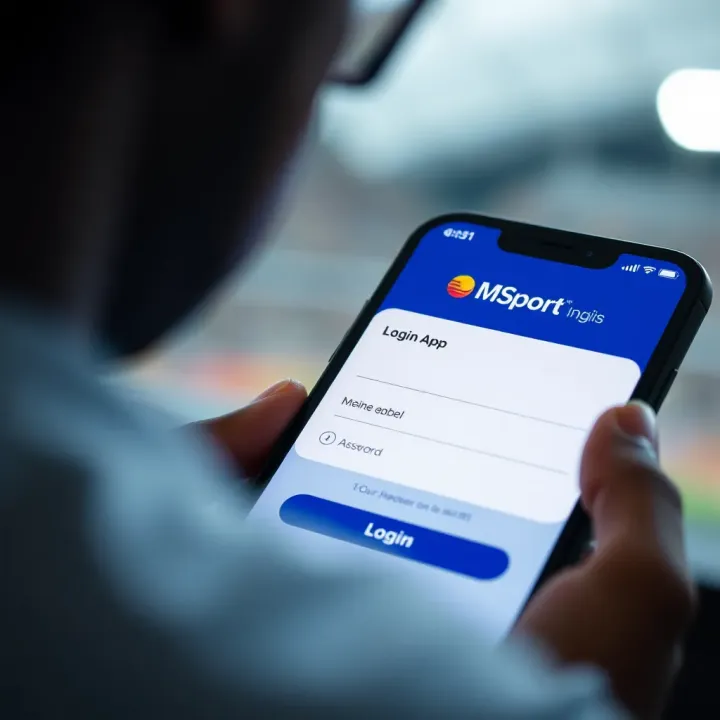
Open the app and choose your preferred login method, typically via phone number or email.
Enter your credentials carefully; mistakes often cause failed logins.
If you’re new, use the sign-up option with a valid phone number to create an account.
Verify your account through OTP (one-time password) sent via SMS.
Remember: Keep your BVN and other verification details handy, especially if you intend to place bets through the platform, as MSport may require identity confirmation.
Taking these steps will have you set for live sports action on MSport without unnecessary delays or frustrations. Next, this article will look at important legal considerations and tips for troubleshooting common issues.
Overview of the MSport App and Its Features
Understanding what the MSport app offers is vital before downloading or logging in. This section helps Nigerian users grasp the app's core functions and benefits, ensuring they get the most out of it. Knowing the features also aids in comparing MSport with other sports streaming platforms available in Nigeria.
What the MSport App Offers Nigerian Users
Live streaming of popular sports
MSport provides live streaming of widely watched sports such as football, basketball, and tennis, which are especially popular in Nigeria. For example, users can catch Nigerian Professional Football League matches alongside international leagues like the English Premier League or La Liga, all in real time. This feature is handy for fans who want to follow matches on the go without missing any crucial moments.
The app also offers streaming of less mainstream sports, giving Nigerian viewers access beyond the usual choices. This variety means users can explore new sports interests or keep up with live coverage even when away from TV or crowded sports viewing spots.
Match schedules and real-time updates
MSport goes beyond just streaming by offering detailed match schedules, so users never miss upcoming games. For instance, if you want to know when the next Nigerian league match kicks off or when a Europe Champions League game starts, MSport has you covered.
The app also delivers live score updates and key event notifications within matches — like goals, penalties, and red cards — keeping you informed even if you can't watch live. This is especially helpful during busy days or when managing work and other commitments.
User-friendly interface and navigation
The MSport app boasts a clean, simple design tailored for easy navigation. Even less tech-savvy Nigerians can quickly find their favourite sports, check schedules, or start streaming within a few taps. The interface groups sports by categories and leagues, making it simple to switch between local and international content.
Besides that, the app’s layout performs well on most Android devices common in Nigeria, from mid-range smartphones to high-end models, ensuring smooth use without heavy lags or crashes.
Benefits of Using MSport Over Other Sports Apps
Low data usage for Nigerian internet plans
Internet cost is a concern in Nigeria, with many users relying on limited data plans. MSport addresses this with its data-efficient streaming technology that reduces bandwidth use without heavily sacrificing video quality. This helps users stream live matches without burning through their airtime or data bundles too quickly.
For example, compared to some major global sports apps, MSport's streams tend to load faster and use less data, which is significant when network coverage fluctuates or speeds drop.
Access to local and international sports content
While many sports apps focus mainly on international games, MSport includes local Nigerian leagues prominently. This feature resonates well with users passionate about supporting homegrown talent and following their local clubs.
On the international front, MSport pulls content from major global competitions, allowing Nigerian users to switch easily between local matches and, say, the NBA or UEFA tournaments. This blend gives a broad sports experience in one app.
Push notifications for key events
Beyond just watching or checking schedules, MSport engages users through timely push notifications. Nigerian users receive alerts for live goals, match kicks-off, and other significant incidents, so they stay in the loop without constantly opening the app.
These notifications can be customised, allowing users to track specific teams or competitions, making MSport a handy companion for serious sports fans who juggle busy lives.
Nigerian sports fans looking for a straightforward, affordable way to watch and follow games will find the MSport app quite fitting. It balances local relevance with global content while respecting data costs, making it practical across many Nigerian states and internet conditions.
How to Download the MSport App in Nigeria
Downloading the MSport app in Nigeria is your first step to getting live sports action right on your phone. It's practical, saves data compared to watching on websites, and keeps you up to date with real-time scores and match highlights. Knowing where and how to download the app ensures you get a safe, up-to-date version without risking security or wasting data on faulty files.
Official Sources for Downloading the App
Google Play Store for Android devices: For most Android users in Nigeria, the easiest, safest way to download MSport is through the Google Play Store. This official app market vets apps for security and regularly updates them, so your MSport experience stays smooth. Using Play Store also means automatic updates save you the trouble of manually checking for new versions.
Alternative APK download sites: Sometimes, devices might not support Play Store directly, especially older or tokunbo phones. In this case, APK files from trusted alternative sites offer a useful fallback. However, Nigerian users must be cautious: downloading APKs outside Play Store increases risks of malware or outdated versions. Only opt for reliable platforms known for screening apps carefully.
Availability for iOS users: Nigerian iPhone users may face limitations since MSport isn’t always available on the Apple App Store. If it's not present, you might rely on the web version or await official release. Keep in mind that iOS's stricter security policies mean sideloading apps is complex without jailbreaking, which is not advisable for most users.
System Requirements and Compatibility
Minimum Android version required: MSport generally requires Android 5.0 (Lollipop) or higher. Since many Nigerians use devices running this version or newer, compatibility covers a wide range. Still, if your phone runs a very old system, the app might not install or run properly.
Storage space considerations: The app needs around 100 to 150 MB for installation, plus extra for cached streams or updates. Users should free up space on their phones to avoid installation errors. Considering Nigerian users often juggle limited storage with many apps, clearing junk files or unused apps before installing MSport helps.
Internet connection quality: Streaming live sports demands steady internet, preferably 3G or 4G networks. Nigerian mobile data plans vary in speed and stability, so connecting via Wi-Fi improves buffering and video clarity. Slow or unstable connections may cause interruptions, so the app optimises for low data use but still benefits from quality internet.
Step-by-Step Installation Process
Enabling installation from unknown sources if needed: When installing from APK files outside the Play Store, you’d need to allow 'Unknown Sources' in your phone’s settings. This option lets you add apps not vetted by Google, but only flip this on temporarily during installation to minimise security risks.
Downloading and installing the app: Once downloads start, monitor progress and avoid switching networks mid-way. After download, tap the APK file to prompt installation. The phone will ask for necessary permissions; accept these for smooth app functioning.
Initial setup after installation: After installing, open MSport to complete the first-time setup. This usually includes allowing permissions for notifications and storage, choosing your preferred sports, and signing in or registering. Setting these quickly ensures you start enjoying live streams and updates without delay.
Pro tip: Regularly check for app updates via Play Store or trusted sources to keep enjoying fresh features and secured service.
By following these clear steps and considerations, downloading MSport in Nigeria becomes straightforward, helping you stay plugged into sports happenings wherever you are.
Logging Into the MSport App for Nigerian Users
Logging into the MSport app is essential for Nigerian users to unlock its full features. Without logging in, you won't be able to personalise your sports feed, track favourite teams, or receive alerts about ongoing games. It’s not just about access; it’s about getting a tailored experience that matches your sports interests.
Creating a New Account
Required information for registration
To create a new account on MSport, you’ll need to provide basic personal details such as your full name, email address, and phone number. These details help verify your identity and ensure you get notifications in case of important updates or changes. For example, using a valid phone number allows the app to send you quick SMS alerts about live scores.
Email verification process
Once you sign up, MSport sends a verification email to confirm your email address. This step is crucial because it prevents fake accounts and keeps the community secure. After clicking the verification link, your account becomes active, and you can fully access all features. Skipping this step might limit your app usage, such as restricting live streaming or pushing notifications.
Setting up a secure password
Choosing a strong password is a smart move to protect your account from unauthorised access. The MSport app encourages users to combine letters, numbers, and special characters. Avoid simple or common passwords like "123456" or "password" which hackers can guess easily. Creating a secure password ensures that your sports preferences and personal data remain private.
How to Log In to an Existing Account
Using email or phone number
You can log in to the MSport app using either your registered email or phone number. This flexibility means you can choose the most convenient option, especially if you frequently check your phone but less often your email. For instance, if your email inbox fills up quickly during ember months, using your phone number can be faster for quick logins.
Password recovery options
Forgotten passwords shouldn’t stop you from enjoying live sports. MSport provides easy recovery options, typically through a "Forgot Password" link. You will receive a recovery code or reset link via email or SMS. This process helps you regain access without losing your saved settings or subscriptions.
Troubleshooting common login issues
If you have trouble logging in, it might be due to incorrect password entry, network problems, or app glitches. Double-check your login details, ensure stable internet connection (preferably Wi-Fi in Nigeria, given data costs), and restart the app. If problems persist, clearing the app cache or reinstalling MSport often resolves glitches. Remember, using updated versions reduces bugs that could cause login failures.
Logging in is your gateway to enjoying seamless, real-time sports streaming on MSport in Nigeria. Taking care with registration and login procedures ensures smooth access throughout the football season and beyond.
Legal and Security Considerations for Nigerian Users
Using the MSport app responsibly means understanding the legal and security issues around streaming sports content in Nigeria. These considerations protect you from infringement risks, data breaches, and unreliable services. In a country where digital regulations are evolving fast, staying informed safeguards both your device and personal information.
Legality of Streaming Sports on MSport in Nigeria
Copyright restrictions on live sports content are significant because most live games are protected by strict intellectual property laws. Broadcasting rights are typically sold to authorised companies, often NFL, UEFA, or local leagues licensing content to specific platforms. Streaming live sports through unauthorised channels violates these rights and could land users in legal trouble.
For Nigerian users, this means it's wise to stick to official or licensed apps like MSport, especially those endorsed by official sports bodies or broadcast companies. Using licensed sources does not just ensure legality but also guarantees better stream quality and reliability.
Potential risks of unofficial streaming apps go beyond legal concerns. Many unlicensed apps promise free sports streaming but may come packed with malware or ads that steal data or slow your phone. Worst still, such apps might request excessive permissions or sell user data, putting your privacy on the line.
These unofficial apps can also interrupt your viewing with poor streams or sudden shutdowns. Staying with MSport or other reputable platforms lets you avoid these headaches and keeps your phone safer from potential cyberattacks.
Ensuring Privacy and Data Protection
Permissions requested by the app are critical for app users to examine. MSport typically asks for access to your storage, network, or sometimes your location to fine-tune the experience. However, be cautious if an app requests unnecessary permissions like contact access or microphone usage without clear reasons.
Understanding why these permissions are needed can prevent misuse of your personal details. For instance, MSport may request storage access to save highlights or downloaded matches, which is normal, while microphone access is generally suspicious for a streaming app.
Data encryption and user information safety are pillars of digital trustworthiness. MSport uses encryption to protect login details and payment information if you use in-app purchases. This means hackers have less chance to intercept your data while streaming or managing your account.
Furthermore, proper data protection means your personal information like email and phone numbers are not shared recklessly with third parties. This shields you from spam, phishing attempts, and unwanted solicitations.
Always review app privacy policies and set strong, unique passwords to secure your MSport account and enjoy peace of mind while watching your favourite sports.
By adhering to these legal and security guidelines, Nigerian users can enjoy MSport confidently, focusing on the game rather than worrying about risks or legal hassles.
Troubleshooting and Tips for Optimising the MSport App Experience
Getting the most out of the MSport app depends largely on handling typical challenges and knowing how to tune your viewing for Nigerian network conditions. This section walks you through common glitches users face and practical ways to boost streaming quality. Fixing these issues not only saves your precious data but also keeps your live sports experience smooth and hassle-free.
Common Problems and How to Fix Them
App crashes or won’t open
Users sometimes find that the MSport app crashes unexpectedly or refuses to open. Most times, this happens because the app version isn't compatible with your device's current Android version or due to lack of sufficient memory. For example, if you're using a device with Android 6.0 while the app requires Android 7.0 or higher, the app might fail to launch. Clearing the app cache and ensuring your device has enough storage—at least 200MB free—can help resolve these crashes. Also, remember to update the app regularly from official sources like Google Play Store to avoid bugs and compatibility issues.
Streaming buffering or poor video quality
Buffering interrupts the flow of live matches, frustrating many users. This issue arises mostly from unstable or slow internet connections common in various parts of Nigeria. Streaming high-definition video needs consistent bandwidth; when networks fluctuate, the app struggles to maintain smooth playback. To reduce buffering, make sure your internet connection is stable. Buffering might also occur if you're on a crowded network, such as public Wi-Fi at a busy market or office.
Login errors and account access issues
Some users experience trouble logging in despite entering correct details. These errors can result from incorrect passwords, network disruptions, or problems with the app’s servers. If you've forgotten your password, use the "Forgot Password" feature to reset via your email or phone number. Also, ensure the app is updated to avoid issues related to outdated login protocols. If the problem persists, uninstall and reinstall the app to refresh the connection settings.
Tips to Improve Streaming Quality on Nigerian Networks
Using Wi-Fi over mobile data
Although mobile data is convenient, Wi-Fi generally provides more stable and faster internet, crucial for streaming live sports without interruption. If you have access to a reliable Wi-Fi network, especially fibre optic connections common in Lagos and Abuja, it’s wise to switch to that when using the MSport app. Besides, Wi-Fi usually costs less for extended usage compared to high mobile data bundles, making it budget-friendly for long matches.
Closing background apps to save bandwidth
Running multiple apps simultaneously can eat up bandwidth and slow download speeds, causing poor stream quality. Apps like WhatsApp, Instagram, and email clients consume data even when not actively used. Closing them before opening MSport frees up bandwidth, improving your streaming quality and reducing lag during key moments like penalty shootouts or last-minute goals.
Adjusting video quality settings
The MSport app lets you tweak video resolution depending on your data plan and network strength. Rather than streaming in full HD all the time, consider lowering the quality to 480p or 360p during times of network congestion or if your data bundle is limited. This reduces buffering and still allows you to enjoy the match without constant pauses. Later, when your connection improves or you switch to Wi-Fi, you can always bump the quality back up.
Optimising your experience with MSport means combining good internet habits and app maintenance. These fixes and tips ensure you spend more time cheering your favourite teams than dealing with technical setbacks.
FAQ
Based on 7 reviews