
How to Open an MSport Account in Nigeria
🎯 Learn how to set up your MSport account in Nigeria for secure betting. Get step-by-step guidance, document checklist, payment tips, and smart betting advice today.
Edited By
Fatima Usman
Verifying your msport account in Nigeria is a key step to fully enjoy the platform’s services without interruptions. Account verification confirms your identity, ensuring that your details are genuine and protecting you from fraud or misuse. In a market where online security is a growing concern, having a verified account gives you peace of mind and access to all betting features.
Verification isn't just a formality; it helps msport comply with Nigerian regulations such as those from the National Lottery Regulatory Commission, and it safeguards your funds. Unverified accounts often face withdrawal limits or restrictions, so sorting this out early saves you future headaches.
Here’s a snapshot of what you’ll need for a smooth verification process:
A valid photo ID like your National Identity Number (NIN) slip, International Passport, or Driver’s Licence
A recent means of address proof (utility bill, bank statement, or tenancy agreement)
Your registered phone number and email address
The process itself is straightforward but requires careful attention. You will have to upload clear photographs or scans of your documents and fill out your personal details accurately. msport may take sev eral hours to a couple of days to confirm your submission depending on the volume of requests.
Always use official msport platforms for submission to avoid scams. Never share your password or OTP with anyone claiming they can verify your account for you.
By understanding the verification requirements upfront, you can avoid common pitfalls such as rejected documents or delays caused by poor image quality. This guide will walk you through the exact steps, common challenges, and tips to keep your account secure once verified. Ready to get your msport account verified the right way? Then keep reading for clear, practical advice tailored to Nigerian users.
Account verification on msport plays a key role in making sure your betting experience stays safe and hassle free. It's not just about ticking boxes but about protecting your money and personal information. Verification helps msport confirm that you are the rightful account holder, which reduces cases of fraud and illegal access.
Ensuring only authorised users access their msport accounts is fundamental in stopping fraud. Imagine someone getting hold of your login details and placing bets in your name or even withdrawing funds—account verification adds a strong layer against this by requiring ID and biometric checks. This step reduces impersonation and account takeovers, common challenges in Nigeria’s online betting industry.
The Nigerian government, through agencies like the National Lottery Regulatory Commission, demands proper user identification to curb illegal betting activities and money laundering. Msport follows these rules by verifying users’ identity with documents like the National Identity Number (NIN). This compliance not only keeps the platform running legally but also safeguards users from being unintentionally involved in unlawful acts.
Verification builds confidence between users and msport. When bettors know that everyone on the platform is verified, they feel more secure placing bets and participating. For instance, when a player verifies their account, it assures others that msport treats its users seriously and is committed to fair play. This sense of trust improves the overall integrity of msport as a reputable betting platform.
Without completing verification, your msport experience stays limited. Verified users unlock all betting markets, including high-stake games and exclusive promotions. For example, new users may start with restricted bet sizes, but verification allows them to join bigger pools and tournaments, enhancing their chances to win.
Verification lifts the caps on how much you can deposit or withdraw, making managing your money smoother. Besides, verified status activates stronger security measures around your account, reducing the risk of theft or unauthorised transactions. This means you can place larger bets or cash out winnings faster and with peace of mind.
Verification streamlines payment procedures. By confirming your identity, msport can quickly approve your withdrawal requests, avoiding unnecessary delays that come from manual checks. Players who haven’t verified their accounts might face longer waiting times or even blocked transactions, especially when dealing with ₦1 million or more. Hence, completing verification saves you time and stress when moving money.
Verifying your msport account isn't just a formality; it directly protects your funds, increases your betting opportunities, and speeds up transactions. It's a smart move to secure your bet and your peace of mind.
Verifying your msport account demands submitting specific documents and personal details. These are necessary to confirm your identity, ensuring security for both you and the platform. Without the correct paperwork, your verification might stall, affecting your access to msport's full range of services.
The National Identity Number (NIN) is a unique number issued by the National Identity Management Commission (NIMC). In Nigeria, it serves as the most prevalent form of official identification, linking your biometric data to your personal details. Using your NIN for msport verification not only speeds up the process but also aligns with legal requirements for identity validation.

For example, your NIN makes it easier for msport to verify that the account holder is genuinely who they claim to be, preventing impersonation or fraud. Since many financial institutions like banks and fintech platforms also require NIN, it reinforces a uniform system of identity in Nigeria.
Your driver's licence, issued by the Federal Road Safety Corps (FRSC), doubles as a valid photo ID in Nigeria. If you already hold one, submitting your driver’s licence for msport verification offers a reliable way to prove your identity and date of birth.
This document is particularly useful for users who might not yet have their NIN or are in transition periods while updating national records. It also provides a government-backed identity that is recognised by most official institutions.
An international passport issued by the Nigerian Immigration Service is another accepted document for msport account verification. It carries your photograph, full name, and nationality, making it suitable for confirming your identity, especially if you travel or have international dealings.
Users who often deal with foreign transactions or have lifestyle ties abroad find the international passport convenient for verification. Moreover, it has a higher security feature compared to some local IDs, reducing the chances of document forgery.
The Permanent Voter’s Card (PVC) issued by the Independent National Electoral Commission (INEC) serves as a recognised ID for msport verification. Besides granting you the right to vote, the PVC carries your biometric information and photograph, which agencies consider for identity confirmation.
For many Nigerians, the PVC is readily available and trusted. Using it with other documents often smooths the verification process, especially in cases where other forms of ID are not at hand.
A proof of address links you to a specific location, essential for verification and compliance checks. Accepted proofs include utility bills (electricity or water), tenancy agreements, or bank statements dated within the last three months.
For instance, msport needs to confirm that your listed address matches official documents to prevent fraud and comply with Nigerian regulatory policies. This also helps in verifying that you are a resident in Nigeria, as some features may be restricted to residents.
Submitting a recent photo or selfie is vital for biometric verification. This step ensures the face on your submitted official ID matches the person making the request.
It also provides extra security by reducing identity theft risks. Make sure the photo is clear, well-lit, and taken against a plain background—these details speed up verification and avoid common rejection reasons.
Finally, confirming your contact details, especially your phone number and email address, is key for receiving updates on the verification status and for security alerts.
Msport often sends One-Time Passwords (OTPs) and notifications to these contacts, ensuring you stay informed and in control. Incorrect or outdated contact information can delay verification or block you from accessing parts of the platform.
Having a full set of valid documents and verified details not only simplifies your msport account verification but also boosts your account's security and eligibility for all features.
Verifying your msport account is a straightforward process, but it demands attention to some practical steps to avoid delays or rejection. This section breaks down the process clearly, helping you prepare, navigate the platform, and follow up efficiently. Whether you are a new user or just completing your verification, understanding these steps will save you time.
Before you begin the verification, gather your identification and supporting documents. You will usually need your National Identification Number (NIN), driver’s licence, or international passport. Supporting documents like proof of address and a recent selfie may also be required, so have them ready to avoid last-minute scrambling.
Clear, valid documents are essential for smooth verification. Blurry photos or expired IDs often cause rejections, forcing you to restart the submission. Ensure your photos are well-lit and all text is legible. For example, if your driver’s licence was renewed recently, upload the latest copy to avoid conflicting information.
A reliable internet connection is a must when uploading documents or filling out online forms. Slow or unstable connections can interrupt the process, causing uploads to fail or pages to time out. Using a stable Wi-Fi network or a strong mobile data connection ensures the process moves swiftly without frustration.
Start by logging into your msport account with your username and password. If you face issues logging in, resetting your password or contacting support should be the immediate steps before moving forward. A successful login grants access to the verification section.
Once logged in, locate the verification area within your account settings or profile dashboard. It’s usually labelled clearly but sometimes can be tucked under security settings. Knowing exactly where to find it prevents unnecessary time wasted searching.
Uploading documents requires careful attention. Follow the instructions on file types and sizes closely—JPEG or PNG images that are too large can be rejected. Fill out all required fields accurately to match the information on your documents. For example, ensure your name on the form matches exactly the name on your ID to avoid mismatches.
After submission, check the verification status regularly via your account dashboard. Msport typically updates the status within a few hours to a few days. Staying informed helps you react quickly if additional information or corrections are requested.
If your verification takes longer than expected, don’t wait blindly. Sometimes delays occur due to high volumes or technical glitches. In such cases, consider clearing your browser cache, trying a different device, or simply waiting an extra day before escalating.
Contacting msport support is your best option when facing persistent delays or unclear feedback. Use official communication channels such as the in-app chat or verified email addresses. Providing clear details like your account ID and submission time helps the support team resolve your concerns faster.
Remember: A successful verification opens full access to msport’s features and boosts security. Taking these steps seriously protects your account and betting experience.
By following these clear steps, you can verify your msport account without unnecessary stress or confusion, positioning yourself well for seamless activity on the platform.
Verifying your msport account may sometimes hit snags due to document or technical issues, which can delay access to full features. Identifying and resolving these hiccups quickly saves you time and frustration. Plus, it ensures your betting activities continue without interruption or security risks.
Documents often get rejected when they are unclear, expired, or don’t meet msport’s specific requirements. For example, a blurry photo of your driver’s licence or a utility bill from over six months ago can lead to rejection. Sometimes, users submit a scanned copy instead of an original, or the details don’t match what is on their msport profile, which also raises red flags.
To avoid rejection, make sure your documents are current and legible. Use a good camera or scanner to capture sharp images, showing all four corners of IDs and ensuring no part is covered or cropped out. Double-check that your name and address match exactly what you’ve entered on the msport platform. If you’re submitting a proof of address, use recent official paperwork like a utility bill or bank statement dated within the last three months.
Upload hiccups often stem from unstable internet or large file sizes. If your document won’t upload, retry on a stable Wi-Fi connection or switch to mobile data temporarily. Compress images slightly but keep quality intact; msport typically accepts files under 5MB. Clearing your browser’s cache or restarting your device can also fix glitches that block uploads.
Sometimes msport’s verification portal may not work smoothly on outdated browsers. Use the latest versions of Chrome, Firefox, or Safari for best results. Avoid browsers known to have poor compatibility with Nigerian sites. If you encounter persistent bugs, try switching browsers or updating your existing one. Also, disable extensions that might interfere with page scripts, like ad blockers or VPNs.
Ensuring your documents are spot-on and your tech setup is ready can significantly speed up msport verification. Tackling common issues early helps you unlock all betting features without unnecessary delays.
Keeping your msport account secure after verification is key to protecting your funds and personal information. Verification opens up access to more features but also makes your account a target for fraudsters. It’s important to stay vigilant and adopt safety measures that deter unauthorised access and scams.
Creating secure passwords is the first line of defence for your msport account. Avoid simple or easily guessed passwords like birthdays, "123456", or common words. Instead, use a mix of upper and lower-case letters, numbers, and symbols. For example, instead of "Nigeria2024", something like "Ng!24xY7%" is much safer. Make sure your password is at least 12 characters long and unique — never reuse passwords from other apps or websites.
Setting up two-factor authentication (2FA) adds an extra layer of security beyond your password. Once enabled, msport will ask for a second verification step, such as a code sent to your phone or generated by an authenticator app, whenever you log in or perform sensitive actions. This makes it much harder for hackers to break in, even if they somehow get your password. Activate 2FA through the msport security settings and choose methods like SMS codes or apps like Google Authenticator or Microsoft Authenticator.
Recognising phishing attempts is vital to avoid giving scammers access to your msport account. Phishing messages often look like official communications but try to trick you into clicking links or providing login details. They may claim your account is locked or needs urgent verification. Always check the sender's email or phone number carefully and never share your password or 2FA codes. When in doubt, access msport directly through the official app or website.
Protecting personal information online means not sharing sensitive details carelessly on social media or untrusted platforms. Scammers often gather bits of your data to impersonate you or answer security questions. Be cautious about the details you reveal, especially your full name, date of birth, or address, which could help fraudsters bypass verification.
Regularly updating account security settings helps you stay ahead of new threats. Check your msport account settings from time to time to review connected devices, recent login activity, and contact information. Remove any unknown devices immediately and update your password periodically — especially after an ember month or any suspicious activity. This proactive approach limits the chances of long-term unauthorised access.
Taking these steps after verification will keep your msport account safe, ensuring you enjoy all the platform’s benefits without worrying about security risks.
By combining strong passwords, two-factor authentication, cautious behaviour, and regular security reviews, you guard your msport account against common threats in Nigeria's digital betting environment. Practical security is always better than regret after loss.
🎯 Learn how to set up your MSport account in Nigeria for secure betting. Get step-by-step guidance, document checklist, payment tips, and smart betting advice today.
💰 Learn how to fund your Msport account easily from Nigeria using bank transfers, USSD, e-wallets like OPay & more. Avoid delays and start betting smooth today! ⚽
Learn how to register for MSport via SMS in Nigeria 📲 with clear steps, requirements, benefits, and quick fixes—perfect if you lack internet at home or while on danfo.
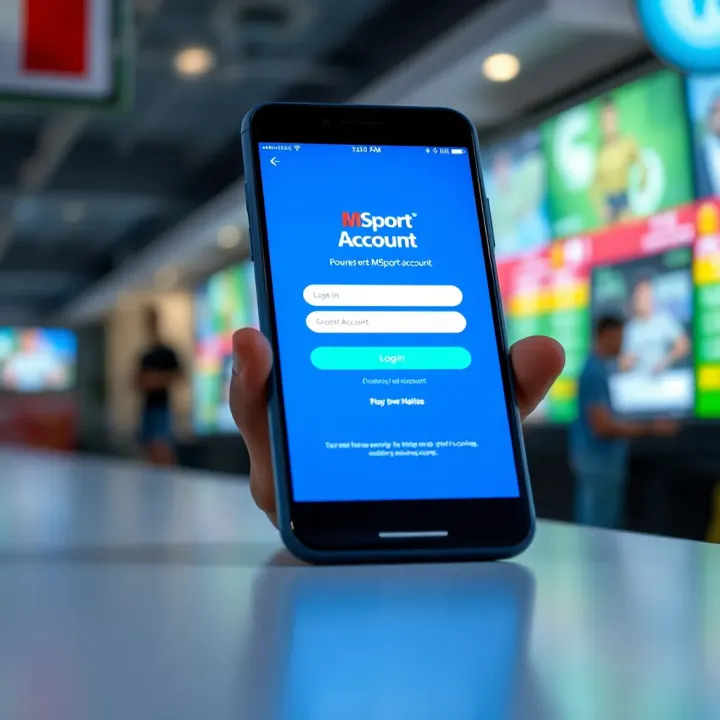
📱 Learn how to create, access, and manage your MSport login account with easy steps for Nigerian users. Get tips on security, account recovery, and fixing common issues fast.
Based on 13 reviews