
Guide to MSport Mobile Login Process
Edited By
Chinelo Okafor
Prologue
The new MSport mobile login experience brings a fresh approach to accessing your betting account with ease and added security. As mobile usage rises sharply in Nigeria, especially among sports bettors and analysts, this update focuses on faster access and robust protection against unauthorised use.
Unlike the old system, which often required repeated password entries or slow verification, the updated process integrates biometric options like fingerprint and facial recognition on supported devices. This saves time and reduces login failures during busy match days.
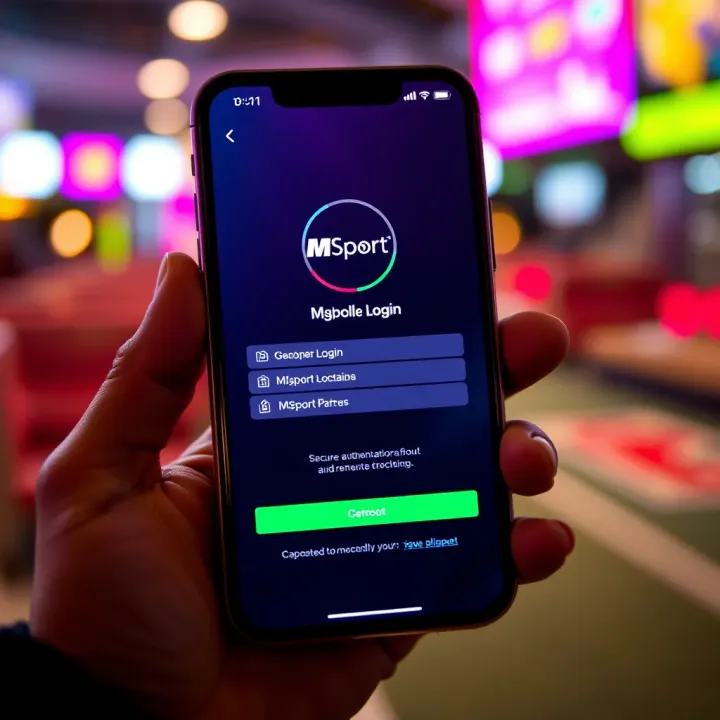
Most users will notice improved speed and fewer glitches, making it easier to manage their bets from anywhere, whether waiting for danfo or settling at a barbing salon.
The improved interface simplifies navigation too. You no longer have to shuffle through multiple menus to find the login section. Just open the MSport app or mobile site, and the new login page prompts clear options including 'Login with PIN', 'Biometrics', or 'Forgot Password'.
Here’s what to expect in the login flow:
Step one: Enter your registered phone number or username.
Step two: Choose a preferred authentication method—either your PIN code or biometric.
Step three: Complete any additional security verification if prompted (usually a one-time password sent via SMS).
This system also memorises your device securely after the first successful login, so subsequent accesses are much quicker.
Security remains a core focus. MSport has strengthened backend checks to prevent unauthorised access, such as monitoring unusual IP addresses commonly seen when shared networks are involved. They also advise users to enable notifications for any login activity to stay informed in real time.
For those who face common login issues such as forgotten passwords or unrecognised devices, the platform now offers a streamlined recovery process directly accessible on the login page.
Overall, this update aims to improve your betting experience through reliable access that matches Nigeria’s mobile-first lifestyle. The next sections will guide you through detailed login steps, highlight top tips for safe usage, and troubleshoot typical problems you may encounter.
Overview of the New MSport Mobile Login System
The new MSport mobile login system marks a significant step forward in how Nigerian users access sports betting platforms. It addresses common frustrations such as slow load times, frequent crashes, and compatibility issues with local devices. The update ensures that users can quickly and securely log in to their MSport accounts from anywhere, whether they are using a latest smartphone or an older device common in many Nigerian households.
Purpose and Benefits of the Update
The update was designed to streamline login procedures and enhance security without compromising speed. For example, where earlier versions often required multiple retries due to unstable network conditions, the new system intelligently manages session persistence, reducing the need for repeated logins. This means bettors and analysts can place bets or check results swiftly, even during peak times or when using less reliable connections. The update also includes biometric login options, like fingerprint and facial recognition, offering additional convenience and improved account safety.
Compatibility with Nigerian Mobile Devices
Understanding the diverse mobile landscape in Nigeria was central to developing the new login system. MSport ensured the interface runs well on a wide range of devices, from budget Android phones to premium iPhones. This inclusiveness covers common brands like Tecno, Infinix, and Samsung, which dominate Nigerian markets. Additionally, the system works seamlessly with both 3G and 4G networks, important because many users still rely on these data services. Such adaptability guarantees accessibility, helping users avoid device or network-related barriers while logging in.
Key Features and Improvements
Among the standout features are faster authentication, reduced data consumption, and a cleaner, simplified interface tailored for Nigerian users. The new design removes clutter that confused users before, focusing instead on large, clear buttons and readable fonts suitable for daylight outdoor use. A notable improvement is the integrated one-time password (OTP) system that delivers verification codes almost instantly via SMS, critical in areas with spotty internet.
Additional enhancements include a responsive design that adjusts based on screen size to avoid awkward scrolling or zooming. The update supports multiple languages to cater to Nigeria’s linguistic diversity, with English, Hausa, Yoruba, and Igbo among the options. These features collectively help MSport keep up with user expectations and local technology realities.
The new MSport mobile login system balances speed, security, and accessibility, making it suitable for Nigeria’s unique mobile environment. Users can now enjoy smoother, safer access without the usual hiccups that dampen betting experiences.
By focusing on these practical benefits and device compatibility, the new login system directly improves usability and trust, encouraging more Nigerians to engage confidently with MSport’s services.
How to Access and Use the New Mobile Login
Accessing the new MSport mobile login system is straightforward and designed to give users fast, reliable entry to their accounts. This section highlights practical steps to help you get started, ensuring you benefit from the improved features without wasting time. Whether you’re placing bets, checking results, or updating your profile, knowing how to use the new login saves you unnecessary hassle and frustration.
Step-by-Step Login Process
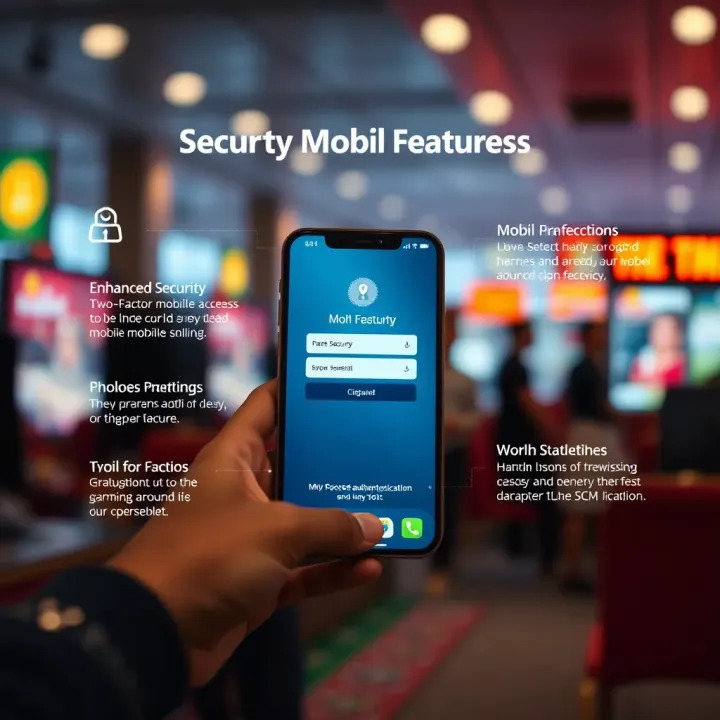
Start by launching the MSport app on your mobile device or visiting its official mobile site via your preferred browser. Enter your registered email or phone number exactly as you set it up, coupled with your strong password. The system now supports biometric login on selected smartphones—so if your device allows, you can log in using fingerprint or facial recognition, which adds a layer of convenience and security.
If you encounter any login errors, check your network connection first, especially in areas where data access may be patchy, like some parts of Abuja or Lokoja. For those using data-saving modes, remember that certain features might delay. After entering your details correctly, tap the 'Login' button. The new system should respond within seconds, taking you straight to your dashboard.
Setting Up Your Account on Mobile
For new users, setting up your MSport account on mobile is a direct process. Launch the app or open the mobile site and find the 'Register' button. Fill in your full name, valid phone number, and a secure password. It’s vital to use a phone number you always have access to, as MSport sends OTPs (one-time passwords) to verify your identity. This step is key to secure access and any future password recovery.
Ensure your profile is complete by adding necessary details like your date of birth and address. This can be helpful during transactions or when dealing with support queries. Nigeria’s strict verification process means incomplete profiles can delay withdrawals or limit your betting options. The system also allows you to link your bank account or e-wallet like Kuda or Opay for easier funding of your MSport wallet.
Navigating the Mobile Interface
Once logged in, the MSport mobile interface offers a clean layout for quick access to betting markets, live scores, and account settings. The main menu is usually accessible via a hamburger icon (three horizontal lines) in the top corner. Tapping this reveals options like "My Bets," "Promotions," and "Transaction History."
The home screen displays live betting odds prominently, letting you place bets without jumping through multiple screens. There's also a search bar, so if you want to find a specific league, team, or event (like the Nigeria Professional Football League), you type it in and see immediate results. For those new to betting or MSport’s platform, the intuitive design requires little to no training.
Using MSport on mobile puts you a step ahead — you can place bets anywhere, whether you're on an okada heading through Lagos traffic or waiting at a mama put for your favourite jollof rice.
Getting familiar with the new system's layout ensures you don’t miss out on timely opportunities. With reliable mobile internet increasingly available across Nigeria, MSport’s enhanced login system promises fast and secure access at your fingertips.
Security Measures for Safe Mobile Access
The security of your login details on mobile platforms like MSport is not just an added feature; it's the backbone that protects your account from unauthorised access. In Nigeria, where mobile device use is high and cyber threats evolve daily, robust security measures ensure your betting activities stay private and funds safe. Understanding these safeguards helps you navigate the platform with confidence.
User Authentication and Verification
User authentication on the MSport mobile app goes beyond just entering a username and password. The system employs multi-factor authentication (MFA), which typically involves an additional verification step, such as a one-time password (OTP) sent via SMS or email. This method blocks hackers even if they manage to steal your password. For instance, if you try logging in from a new device or location, MSport will prompt for this extra verification to confirm it’s truly you.
Besides MFA, biometric verification is also introduced on supported devices. Using fingerprint or facial recognition sharpens security by linking access to physical characteristics. This feature greatly reduces the risk of unauthorised entry, particularly useful in Nigeria where device sharing sometimes happens among family members.
Protecting Your Login Details
Safeguarding your login information requires active effort. Simple practices like creating strong passwords, combining letters, numbers, and symbols, make brute-force attacks difficult. Avoid using obvious details such as birthdays or phone numbers. Regularly changing your password every few months adds an extra layer of defence.
Be cautious about where you input your details. Never log in via links from unknown texts or emails claiming to be MSport—these are often phishing attempts designed to steal your credentials. Instead, always use the official MSport app or website.
Keep your mobile device secure by enabling a screen lock and avoiding public Wi-Fi for transactions. Public networks increase the chance of data interception. If you must use public Wi-Fi, consider a trusted Virtual Private Network (VPN).
Troubleshooting Suspicious Activity
Sometimes, you might notice unusual behaviour, like unexpected bet placements or login attempts from unfamiliar locations. MSport’s system flags such activities automatically and may lock your account temporarily to prevent damage. You will receive alerts via SMS or email, prompting you to verify recent actions or change your password immediately.
If you suspect your account has been compromised, act fast:
Change your password promptly.
Check the activity log for unrecognised sessions.
Contact MSport customer support for assistance.
Monitor your linked bank account or wallet for unauthorised transactions.
Remember: Prompt reaction to any suspicious sign minimizes risk. No credible platform will ask for your full password via email or call, so guard your information jealously.
By following these security measures, you significantly enhance your mobile login safety on MSport, ensuring your betting experience remains smooth and worry-free in the Nigerian context.
Common Issues and How to Fix Them
Mobile login systems like MSport’s new platform aim to offer smooth, quick access, but users might sometimes bump into challenges. Addressing common issues and knowing how to fix them is essential to prevent frustration and downtime. This section focuses on practical solutions to typical problems such as forgotten passwords, app crashes, and connectivity glitches. By handling these efficiently, users, especially those on the move in Nigeria, can enjoy uninterrupted access to their accounts.
Forgotten Password and Recovery Options
Forgetting a password is one of the most frequent hurdles during mobile login. MSport provides easy recovery options to get you back on track without stress. You can reset your password by selecting the "Forgot Password" link on the login page. This triggers a verification process through your registered email or phone number – often via a one-time password (OTP) or reset link.
Make sure your recovery contacts are up-to-date, especially your phone number and email, as expired details could delay this process. For example, if you registered with an old email, the reset email won't reach you, affecting your access. In such cases, updating recovery options through account settings or contacting support early helps avoid login blocks. Also, always create strong, memorable passwords that combine numbers, letters, and symbols to reduce the chance of forgetfulness.
App Crashes and Connectivity Problems
MSport’s app experience depends heavily on your device’s stability and internet connection. Interruptions such as app crashes or slow loading often result from low storage space, outdated app versions, or unstable network signals common in parts of Nigeria.
If the app crashes repeatedly, start by clearing the app cache or reinstalling the latest version from your app store. Also, ensure your phone’s software updates are current; outdated system software can cause compatibility issues. For connectivity, switching between mobile data providers or connecting to Wi-Fi hotspots where possible can improve access. Lagos or Abuja users, for instance, may find that switching from Glo to MTN improves connection stability during peak hours.
Checking background apps that consume data or battery can also prevent interference. Sometimes, the simplest solution is restarting your device to reset network settings.
Contacting MSport Support for Help
When problems persist despite your efforts, MSport’s support team is the next stop. You can reach out through several channels: in-app chat, official email, or phone lines. Keeping your account details handy when contacting support expedites the process.
Be clear and specific about the issue, such as describing the exact error message or steps before the problem occurred. For example, reporting that "the app crashes just after I enter my login details" helps pinpoint the cause faster than vague descriptions. If you are using a Nigerian SIM and network, mentioning these details can assist support in checking network-related issues.
Don’t hesitate to follow up if your issue isn’t resolved quickly, especially during ember months when customer service may be busier. MSport aims to provide swift resolutions, but clear communication helps everyone save time.
Dealing quickly with login problems ensures you never miss out on placing bets, tracking odds, or checking results — all crucial for keeping up with the fast-paced sports scene.
In short, knowing how to manage forgotten passwords, app crashes, and when to reach out to support helps you maintain seamless access to MSport’s mobile platform at all times.
Advantages of Using MSport’s Mobile Platform
Choosing MSport’s mobile platform offers tangible benefits for users who want flexibility without sacrificing efficiency. This platform aligns well with the Nigerian mobile user’s lifestyle, making access to sports and betting services quicker and more convenient.
Convenience for On-the-Go Users in Nigeria
For many Nigerians, mobility is a daily necessity—whether commuting in a danfo through Lagos traffic or visiting a mama put during a break at work. MSport’s mobile login system matches this lifestyle by providing a reliable way to place bets or check results from anywhere. Unlike desktop access that ties you to a specific location, the mobile platform works smoothly on 3G or 4G networks common in Nigeria. This is especially helpful during the ember months when people often attend social events but still want to stay connected to their favourite sports.
Faster Access Compared to Desktop Login
Mobile platforms usually strip away unnecessary content seen on desktop versions, speeding up load times on mobile devices. MSport’s mobile login excels here, offering a streamlined experience that reduces waiting time—critical when every second can affect betting outcomes. Users can log in and start placing bets in a fraction of the time it would take on desktop. The system also remembers your device and session so you won’t need to sign in repeatedly, saving precious minutes during live matches or events.
Integration with Other Mobile Services
MSport understands the Nigerian mobile ecosystem includes multiple services ranging from mobile money wallets to sports news apps. Their mobile platform integrates seamlessly with payment options like Paga, OPay, and Flutterwave, allowing quick deposits and withdrawals without switching apps. Also, notifications can be linked to native device features so users don’t miss important alerts on match updates or account changes. Such integration means MSport doesn’t just run on your phone—it becomes part of your broader mobile experience.
For Nigerians juggling busy days and unpredictable data access, MSport’s mobile platform provides a practical, reliable way to enjoy sports betting with fewer interruptions and more control.
By leveraging these advantages, MSport boosts user satisfaction and keeps Nigerians engaged even when power supply or network issues disrupt traditional desktop browsing. This makes it a smart choice for anyone serious about efficient, secure mobile betting.
FAQ
Based on 15 reviews