
Guide to MSport Registration Account in Nigeria
Learn how to register your MSport account step-by-step, check Nigerian eligibility, fix common issues, and enjoy MSport benefits like secure access and smooth management ⚽📲
Edited By
Ibrahim Suleiman
MSport is fast becoming a preferred platform for Nigerians interested in sports betting and virtual games, thanks to its user-friendly interface and reliable service. Before you dive in, you need to understand the key steps and requirements for registering and logging in to the platform.
To create an MSport account, you must be at least 18 years old and have a valid Nigerian phone number. The platform requires accurate personal details for identification, including your full name, date of birth, and a secure password. Always choose a strong password combining letters, numbers, and symbols to safeguard your account.
Registration can be completed through the MSport website or mobile app. The process starts by providing your phone number to receive a verification code via SMS. Enter this code promptly to verify your number. Then fill in your personal information and accept the terms and conditions. Once you submit, your account is ready for use.
Logging into MSport is straightforward. Use your registered phone number or username along with your password. If you forget your password, MSport offers a simple recovery option through your phone number or email. Make sure your login details are kept private to avoid unauthorised access.
Remember: Frequent failed login attempts may result in temporary account lockout as a security measure.
Users in Nigeria sometimes face issues like delayed SMS verification due to network challenges or incorrect personal details during registration. Double-check the information you provide and ensure good network coverage to avoid such headaches.
Always update your password regularly and avoid logging in from public Wi-Fi without a VPN. MSport’s encryption protects your data, but additional personal caution helps prevent fraud.
MSport Nigeria offers customer support via live chat and email. If you encounter any difficulty during registration or login, reach out quickly so you can get back to playing without delay.
By following these guidelines, you’ll have a smooth experience registering and logging into MSport, maximising your engagement within Nigeria’s vibrant sports betting scene.
To navigate MSport effectively, it's essential to grasp what the platform offers Nigerian users and why registering is a necessary step. MSport serves as a digital hub that connects sports enthusiasts, bettors, analysts, and professionals with real-time information and interactive features tailored to Nigeria's sports landscape.
MSport provides a variety of services designed for different user groups. For bettors, it delivers live scores, odds updates, and analytical tools that can influence betting decisions. Journalists and analysts gain access to detailed statistics, historic match data, and exclusive insights that aid comprehensive reporting. Students and general sports fans can explore news, expert commentaries, and video highlights. The platform also integrates with popular Nigerian fintech services, making it easy to place bets or access paid content directly through wallets like Paystack or Flutterwave.
Consider, for example, a Lagos-based bettor tracking the Nigeria Professional Football League (NPFL). Through MSport, they get live updates and expert tips, helping them make informed bets without relying solely on hearsay or informal sources. This real-time access to quality data enhances user experience and trust.
Registering on MSport unlocks the full suite of features and tools. While some information is available publicly, registered users receive personalised services that improve engagement and security. Registration helps to:
Secure user accounts and ensure personalised access
Enable betting and transactions within Nigeria’s regulated environment
Provide tailored content based on user preferences and past activity
Grant access to customer support, promotions, and exclusive events
For instance, a user must register and verify their account to participate in betting competitions or receive alerts about upcoming games. This requirement also aligns with Nigerian regulations concerning online betting, promoting a safe and legal environment.
Without proper registration, users miss out on vital features and may face limitations in interaction, security, and ongoing support.
Understanding these elements sets the stage for a smooth registration and login experience, helping you maximise MSport’s benefits in Nigeria’s evolving digital sports scene.
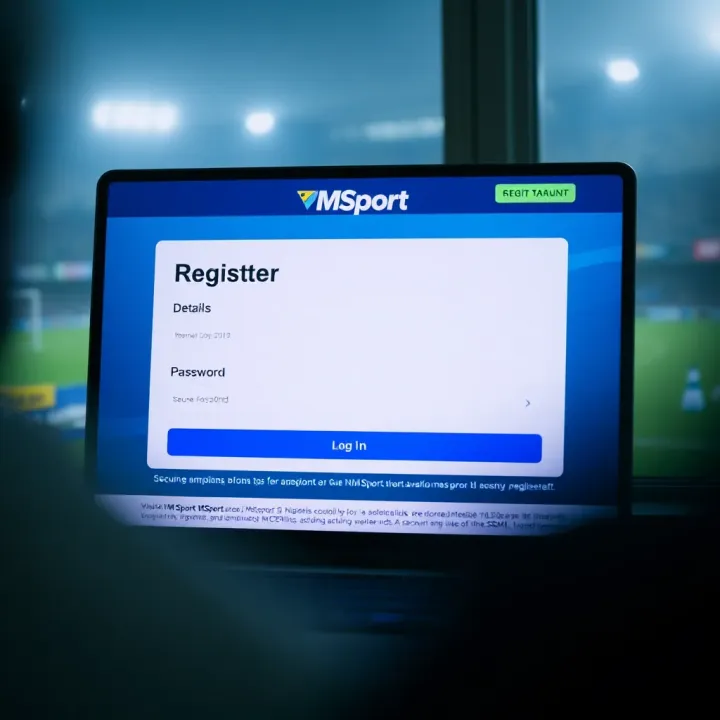
Understanding how to register on MSport is essential for anyone looking to use the platform without hiccups. This section breaks down the registration process into practical, actionable steps to make it straightforward for users across Nigeria. From device readiness to verification, each part focuses on common challenges and solutions, helping you avoid pitfalls from the start.
A smooth registration experience starts with having the right device and stable internet access. MSport works best on smartphones and tablets running recent operating systems, but a PC or laptop will also do. Considering many Nigerian users rely on mobile data, a steady 3G or 4G connection will usually suffice, though it’s wise to avoid congested networks or intermittent signals that could interrupt the registration.
For example, if you’re using a shared network at a hotspot, sudden drops might cause form submission errors. Preparing a personal device with a reliable connection helps avoid these troubles. It’s also worth keeping your browser or MSport app updated to the latest version for compatibility and security.
MSport requires some basic personal details to set up an account. This typically includes your full name, date of birth, valid email address or phone number, and a Nigerian bank verification number (BVN) or similar identity proof, depending on the service. Having these ready reduces delays and unnecessary back-and-forth.
For instance, entering an incorrect phone number can block SMS verification later. Ensuring your BVN matches your official documents is key because MSport often links this to user profiles for security.
Accuracy is crucial when filling out your details; errors can cause failed verifications or difficulties accessing services. Take your time to enter your name exactly as it appears on your official ID and double-check dates like your birthdate.
Imagine a student registering with a name spelled differently from their JAMB registration—they may face trouble later with identity confirmation. Using consistent information across platforms helps maintain seamless access.
A strong password is your first defence against unauthorised access. MSport recommends passwords with a mix of uppercase and lowercase letters, numbers, and symbols. Avoid common phrases or simple sequences like "123456" or "password".
Besides security, a memorable but complex password reduces the chance of frequent resets, which can be inconvenient. You might consider using a phrase meaningful to you but hard to guess or opt for password managers compatible with Nigerian apps to keep track.
After submitting the registration form, MSport usually sends a verification code via SMS or email. This step confirms the contact details you provided are valid and accessible. Without this, your account won't activate fully.
For example, a bettor trying to stake without completing verification might find their account temporarily restricted. Keeping your phone or email app ready during registration ensures you catch and enter the code promptly.
Sometimes, users face delays receiving verification codes. This could be due to network congestion, incorrect contact info, or spam filtering. MSport typically allows resending the code after a short wait, but persistent problems may require contacting support.
If you don’t get the code within five minutes, check your phone’s message inbox, email spam folder, and confirm that you entered your number or email correctly. In Nigeria, network providers occasionally have service interruptions during ember months, which might impact message delivery. Patience and following these steps normally clear such issues swiftly.
Remember, completing registration accurately and fully secures your access to MSport’s services, minimizing login interruptions and safeguarding your betting experience. Follow each step closely to avoid delays.
Logging in to MSport is the gateway to fully utilising its features, whether you are a bettor tracking bets, an analyst reviewing stats, or a journalist needing timely updates. Smooth access ensures you stay connected without delays, especially during peak times like football weekends or ember months when interest spikes. Knowing how to access the login page, solve common access problems, and maintain security helps you avoid unnecessary frustration and keeps your account safe.
The first step to using MSport services is reaching the login page. This is typically found on the official MSport website or within their mobile app. Given Nigeria’s often unstable internet, it’s wise to bookmark the login page or save the official app to avoid phishing sites or fake links. For example, if you rely on public Wi-Fi or occasional power outages push you to use data sparingly, accessing the login page quickly helps conserve your resources and time.
Forgetting your password is a common issue. MSport provides a simple recovery option where you can reset your password by entering your registered email or phone number. You will receive a one-time code or link, which helps regain access swiftly. It is crucial that the email or phone number you provide during registration remains up to date; otherwise, recovery becomes complicated.
Repeated wrong login attempts can lock your account temporarily to protect it from unauthorised access. If you find yourself locked out, MSport usually allows you to unlock the account by verifying your identity through security questions or contacting their customer support. In Nigerian contexts, where multiple users might share devices (like family phones or cyber cafes), accidental lockouts can happen severally, so knowing these steps saves time.
Use strong, unique passwords combining letters, numbers, and special characters; avoid easily guessed details such as birthdays or common words. Updating passwords regularly and refraining from using the same password across several platforms reduces the risk of hacking. In Lagos or Abuja, where cybercrime reports have increased, protecting your account details is especially pertinent.
Phishing is when fraudsters impersonate legitimate MSport channels to steal credentials. Be wary of unsolicited emails or messages asking for your login details or offering suspicious quick gains. Official communications will never ask for your password directly. If a message urges you to click an unknown link or download a strange attachment, it's best to delete it immediately.
Staying alert to these login tips not only prevents access issues but also protects your MSport account from fraud, ensuring a smoother, safer experience.
Using MSport effectively after logging in is key to maximising its value, especially for Nigerian users who rely on it for timely sports information, live updates, and sometimes betting insights. The platform’s features are designed to be user-friendly, but understanding how to navigate and customise your account can make a huge difference in both ease of use and security. Whether you’re a student following leagues, an analyst pulling stats, or a bettor tracking odds, knowing how to get the most from your dashboard keeps you ahead.
The MSport user dashboard is the control centre where most of your interactions begin. Once logged in, the dashboard displays live scores, upcoming fixtures, and personal favourites. Nigerian users often appreciate that it loads quickly even on slower networks, which is a relief given our frequent connectivity issues. It organises key features such as news feeds, match highlights, and betting options in a way that’s easy to find. For example, if you want to check the Nigerian Professional Football League (NPFL) results, a quick tap leads you there without unnecessary scrolling.
Updating your profile on MSport is essential to keep your account accurate and useful. This includes personal details such as phone number, email address, and preferred language. For Nigerians who move cities or change telecom providers, maintaining current contact info ensures you receive crucial alerts without delay. It also helps in account recovery if you forget your login details.
Notification preferences allow you to choose what alerts you receive and how often. Considering how busy life in Lagos or Abuja can be, getting only relevant updates – like notifications for specific matches or leagues – helps avoid information overload. You can decide to get push notifications on your phone, or email alerts. This flexibility is helpful if you need match updates while on the go or if you prefer checking results at your convenience.
MSport provides several ways to reach customer support, including email, live chat, and sometimes a dedicated hotline. For Nigerian users, having a prompt support channel is vital because issues like payment verification failures or login difficulties can interrupt your experience. Support teams familiar with local challenges, such as limited internet access or frequent power outages, tend to give more practical advice.
Typical problems that users face include trouble with account verification, difficulty resetting passwords, or hiccups in linking payment methods. In Nigeria, where mobile money and bank transfers are common payment options, glitches might sometimes arise due to network instability. Knowing common issues ahead of time can help you approach support with the right questions, speeding up resolutions and limiting frustration.
Mastering these post-login features will not only improve your MSport experience but also safeguard your personal information and ensure you stay updated without hassle.
Learn how to register your MSport account step-by-step, check Nigerian eligibility, fix common issues, and enjoy MSport benefits like secure access and smooth management ⚽📲
🎰 Discover how to easily log in to Msport Casino in Nigeria, secure your account, claim bonuses, enjoy games, and troubleshoot issues for a smooth experience 🇳🇬
Discover how to register as an MSport agent in Nigeria, understand the ₦ registration fee, requirements, benefits, compliance tips, and avoid common pitfalls ⚽💼
🌟 Learn how to register and log in to the MSport Nigeria portal with ease. Get step-by-step tips, fix common issues, and secure your account for top sports updates across Nigeria 🇳🇬⚽
Based on 14 reviews