
How to Sign Up and Login to MSport Nigeria App
🔐 Learn how to sign up and log in to the MSport Nigeria app easily. Get step-by-step guides, troubleshoot account issues, and stay secure on the platform today.
Edited By
Titi Adegoke
Signing up for mSport in Nigeria is straightforward and quick, designed to get you connected to live sports updates and exclusive betting tips without fuss. Whether you're a bettor keeping an eye on football scores or an analyst tracking trends, creating an account puts you smack in the middle of the action.
mSport offers a user-friendly platform tailored for Nigerian users, providing access to local and international sports news, live results, and personalised alerts. To join, you only need a few details ready, and you'll be on your way to exploring the full range of features.

Getting registered with mSport doesn’t just open access to sports updates; it also improves your betting decisions with timely information and detailed analyses.
Follow these steps to create your account:
Visit the Official mSport Website or Download the App: The first step is to head to the mSport website using your preferred browser or download the official app on your Android or iOS device.
Click on “Sign Up” or “Create Account”: Look for the sign-up option, usually displayed prominently on the home screen.
Fill in Your Personal Information: Provide your full name, a valid email address, and a phone number (Nigerian numbers are accepted). Using your real details is important for verification and account security.
Set a Strong Password: Choose a secure password combining letters, numbers, and symbols to protect your account.
Accept Terms and Confirm: Review mSport's terms and privacy policy, then tick the box if you agree.
Verify Your Account: After registration, an OTP (one-time password) will be sent to your phone or email. Enter the code promptly to activate your account.
This process should take just a few minutes, and once complete, you can immediately start receiving live scores and personalised updates tailored to your favourite sports.
Remember, using a legitimate Nigerian phone number ensures smooth verification and continued access to all mSport features. Also, having stable internet is critical—especially when tracking fast-paced games or placing live bets.
Now that your account is set, you’re ready to explore what mSport has to offer. The next sections will guide you through account verification, troubleshooting common sign-up issues, and how to maximise your experience on the platform.
Getting a firm grasp of what mSport offers helps users appreciate the value of signing up. Familiarity with the platform’s core services guides you on what to expect and how to leverage it fully. For example, knowing about live sports scores and interactive features lets you decide if mSport suits your needs as a bettor, analyst, or sports fan.
mSport is a mobile-driven sports platform tailored to meet the needs of the Nigerian market and beyond. It provides real-time updates on football, basketball, and other popular sports, serving both casual fans and professionals like journalists or accountants tracking game statistics. Unlike generic sports apps, mSport offers locally relevant content such as Nigerian league fixtures and community discussions, making it particularly useful for anyone tightly connected to Nigerian sports.
At its core, mSport focuses on delivering three primary services:
Live Scores and Match Updates: Get quick, accurate updates on ongoing matches including goals, fouls, and substitutions.
Exclusive Analysis and Insights: Regular expert commentary and statistics tailored for Nigerian competitions and international events of interest.
Community Interaction: Forums and polls where users share predictions, discuss strategies, or celebrate wins, contributing to a lively sports culture.
Additionally, mSport sometimes offers perks like ticket giveaways or merchandise discounts exclusive to registered users, enhancing the overall experience.
The platform is fully available across Nigeria, optimised to run smoothly even on lower-end smartphones common here. Whether you use Android or iOS, mSport works well with typical Nigerian internet connections, including 3G and 4G. The developers designed it to use minimal data, recognising how costly and sometimes unreliable internet access can be.
Users in urban centres like Lagos and Abuja experience seamless performance, while those in smaller towns also report stable access. Importantly, mSport supports local payment options for premium features or subscriptions, such as mobile money and bank cards, facilitating easy transactions.
Understanding mSport's unique offerings and Nigerian compatibility ensures that users can take advantage of the full range of services without unnecessary delays or technical issues.
Knowing these details about mSport before signing up positions you to use the platform more effectively and enjoy its full benefits.
Signing up for mSport is essential to unlock all the benefits the platform offers Nigerian sports fans. This step-by-step guide focuses on making the registration process straightforward so you can quickly access live match updates, exclusive content, and interactive features. Whether you are a bettor looking for real-time odds or a student researching sports analytics, completing this process without hitches saves time and frustration.
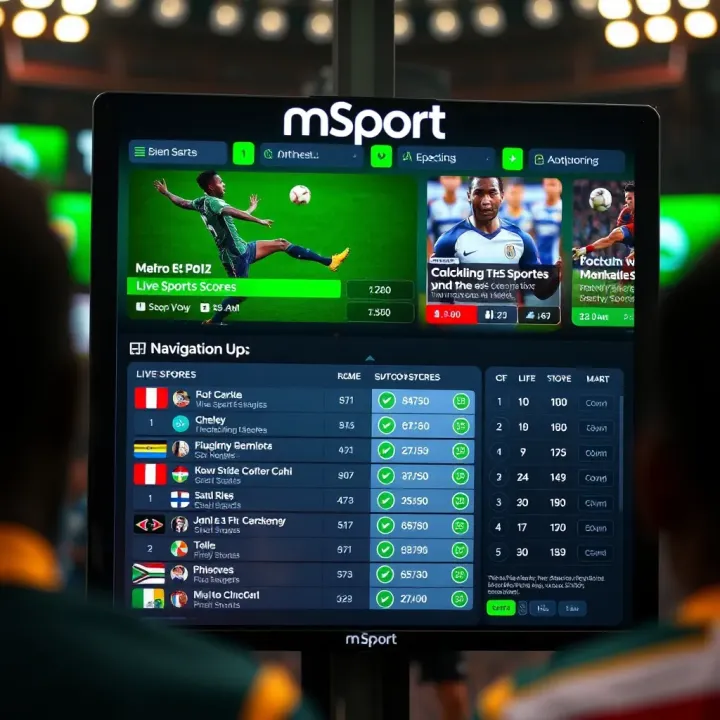
To begin your registration, you need to access the mSport platform. You can do this via the official mSport website or through their mobile app, both compatible with most smartphones commonly used in Nigeria. For example, many users with Android devices download the app directly from Google Play Store or use the website on browsers like Chrome or Firefox to avoid unnecessary data use.
Ensure you have a stable internet connection to prevent interruptions during sign-up. Many Nigerians rely on mobile data plans like MTN Pulse or Airtel SmartConnect, so consider connecting to Wi-Fi if available. Launching the platform is simple: type the correct URL in your browser or tap the app icon on your phone screen.
Once you access the platform, the next step is to fill out the registration form. This form typically requires personal details such as your full name, date of birth, email address, phone number, and a unique username. For example, you might use your initials combined with birth year to create a memorable username.
Make sure your phone number is active and regularly used because mSport sends verification codes via SMS. Using an email address you check frequently helps in receiving account-related alerts or resetting passwords quickly. Avoid making spelling errors—double-check your entries to prevent delays or rejection.
The form also asks you to create a strong password—mix letters, numbers, and symbols to stay secure. For instance, use a combination like NaiJa2024! instead of something easy to guess.
After submitting the registration form, verifying your account confirms your identity and activates your profile. Typically, mSport sends a One-Time Password (OTP) to the phone number or email you provided. Enter this code promptly in the verification window.
If you don’t receive the OTP within a few minutes, check your spam folder or request a resend. Delays sometimes happen due to network issues common in parts of Nigeria. Once verified, your account is ready, and you can start using all mSport features like tracking live scores, joining forums, or placing bets.
Ensure your details are correct and your verification method works well to avoid repeated sign-up attempts, which might lock your account temporarily.
By following these steps carefully, Nigerian users can sign up on mSport without hassle, enjoying a smooth and secure entry into the sports community.
Before signing up for mSport, knowing the essential requirements and practical tips can smoothen your registration process significantly. This section highlights the key documents, information, and common pitfalls Nigerian users face, helping you avoid unnecessary delays or frustration.
For mSport registration, having the right documents and details at hand plays a vital role. Typically, you’ll need a valid phone number registered in Nigeria, preferably connected to your local network provider like MTN, Glo, Airtel, or 9mobile. This number will receive your verification codes and important alerts.
Next, keep your National Identification Number (NIN) ready, as mSport often requires this for identity confirmation, aligning with Nigeria’s digital regulations. If you don’t have your NIN yet, enrolling is straightforward through the National Identity Management Commission (NIMC).
Additionally, a valid email address helps in account management and communication—avoid using temporary or rarely checked emails. During registration, you might be asked about your state of residence and sometimes your local government area (LGA), so have that information ready to avoid errors.
If mSport requests bank details for payment or withdrawals, ensure you use your BVN-linked bank account to prevent issues with fund transfers.
Several users encounter challenges during sign-up, but many can be prevented with simple precautions.
Incorrect or Incomplete Information: Filling the registration form carelessly leads to verification failures. Double-check your phone number, email, and personal data before submitting. Even a small typo can stall your account approval.
Delayed or Missing Verification Codes: Network glitches or blocking of SMS from unknown numbers sometimes cause delays. Make sure your phone signal is strong, and check your SMS filters or spam folders regularly.
Using Non-Nigerian Numbers: mSport is designed for Nigeria, so using foreign SIM cards can cause your registration to be rejected. Stick to Nigerian-registered numbers only.
Unverified NIN or BVN: If your NIN or BVN details are incomplete or mismatched with your bank records, verification might fail. Ensure all your identification details are up-to-date to avoid rejections.
Browser or App Issues: Using outdated browsers or apps can cause loading errors during registration. Update your app regularly and clear browser caches when signing up through mSport’s website.
Paying attention to these details saves you hours of back-and-forth and lets you start enjoying the platform quicker.
In summary, having all necessary personal information and official documents at hand, combined with careful data entry, lays a solid foundation for a smooth mSport registration. Bear these tips in mind, and your sign-up should be quick, hassle-free, and ready for Nigeria’s sporting thrills.
After completing registration on mSport, users unlock a suite of features designed to enhance the sports experience. These functions not only keep you connected to the latest developments but also bring exclusive benefits and interactive opportunities. For Nigerian sports fans, these features make following games, engaging with content, and joining communities simpler and more enjoyable.
One notable feature is the real-time sports updates and notifications. Once signed up, you get instant alerts about scores, match schedules, and key moments, directly on your device. For example, if Nigeria's Super Eagles are clinching a crucial game in the AFCON qualifiers, mSport pushes notifications immediately, so you don’t miss a beat even when stuck in Lagos traffic or at work.
This live feed is invaluable for bettors, analysts, and journalists who need up-to-the-minute data for their work. You can adjust notification settings to follow specific teams or leagues—local leagues like the NPFL or international ones such as the English Premier League. Having timely information can be the difference between placing an informed bet or missing out, making this feature essential.
mSport members gain exclusive access to content unavailable elsewhere. This includes in-depth match analyses, interviews with Nigerian athletes, behind-the-scenes footage from major sporting events, and expert commentary. For students and analysts, these insights provide valuable material to study patterns or understand game strategies.
Besides content, members often receive promotional offers like discounts on tickets to local matches or partnerships with Nigerian sportswear brands. Imagine getting ₦2,000 off on a jersey from a popular brand or early bird access to tickets for an Owerri wrestling event. These perks add real value and make the platform more than just a standard sports app.
Finally, mSport encourages interaction through tools and community spaces. Registered users can join discussions, participate in polls, or predict match outcomes via the app. Consider this: engaging with fellow fans on a live chat during a Lagos derby not only spices up watching experience but also builds community ties.
For professionals like accountants or journalists, these interactive spaces offer quick forums to gauge public opinion or gather feedback fast. Such features promote active participation, making mSport a platform where users don’t just consume content but contribute to ongoing sports conversations.
Being part of mSport means staying connected, informed, and involved with Nigerian and global sports scenes effortlessly. These features turn casual watchers into informed followers and community members.
In summary, post-registration features on mSport deliver live updates, exclusive content, and interactive platforms tailored for Nigerian users. They help users stay ahead, enjoy perks, and join a lively community all within one app.
Navigating a new platform rarely goes without a hitch, and mSport is no exception. Having access to effective troubleshooting and support can save you time and frustration when problems crop up during sign-up or account use. In Nigeria, where internet connectivity and device limitations sometimes pose challenges, solid customer service becomes even more essential. This section offers practical advice on how to handle common issues, reach support, and secure your account.
Many users face difficulties when signing up on mSport, often related to inadequate network signals or incorrect data entry. For instance, entering a wrong phone number or BVN (Bank Verification Number) can lead to verification failures. Double-check every detail, especially your email and phone number, before submitting the form.
Another common stumbling block is slow page loading or timeouts, which might be caused by unstable internet, typical in certain parts of Nigeria. Switching to a reliable Wi-Fi connection or trying again during off-peak hours can help. If you receive an error that your account exists already, try using password recovery options instead of re-registering.
mSport provides several channels to reach its customer service, and using them smartly can resolve many issues swiftly. Their hotline is usually the fastest way to get help, especially if you’re struggling to verify your account or face unexpected bugs. Email support is suitable for less urgent matters but expect a 24-48 hour response time.
Besides, mSport often has active social media pages where you can find announcements and sometimes direct support. Engaging with official channels helps you avoid scammers pretending to offer help. Always confirm that customer service contacts come from mSport's official communications to stay safe.
Security should never be an afterthought, especially on sports and betting platforms that require personal information. First, use a strong password combining letters, numbers, and symbols. Avoid something easy like your birthdate or phone number.
Do not share your login details with anyone, even if they claim to be support staff. mSport will never request your password or PIN outside of the app. Also, enable two-factor authentication if available; this adds an extra layer that helps prevent unauthorised access.
Lastly, regularly monitor your account activities and report any suspicious transactions or login attempts immediately.
Keeping your mSport experience smooth means addressing hiccups fast and protecting your data well. Armed with these tips, Nigerian users can enjoy their sports content without unnecessary stress or worry.
🔐 Learn how to sign up and log in to the MSport Nigeria app easily. Get step-by-step guides, troubleshoot account issues, and stay secure on the platform today.
Learn how to sign up and manage your Nigeria Msport Shop mobile account 📱. Get tips on security, features, and solutions for common problems. Stay connected on the go!
Learn how to deposit on mSport quickly and safely in Nigeria 💰. Get step-by-step tips, payment options, and how to avoid common issues for hassle-free betting!

Securely verify your msport account in Nigeria with our step-by-step guide ✅. Learn required documents, tackle common challenges, and safeguard your profile 🛡️.
Based on 7 reviews